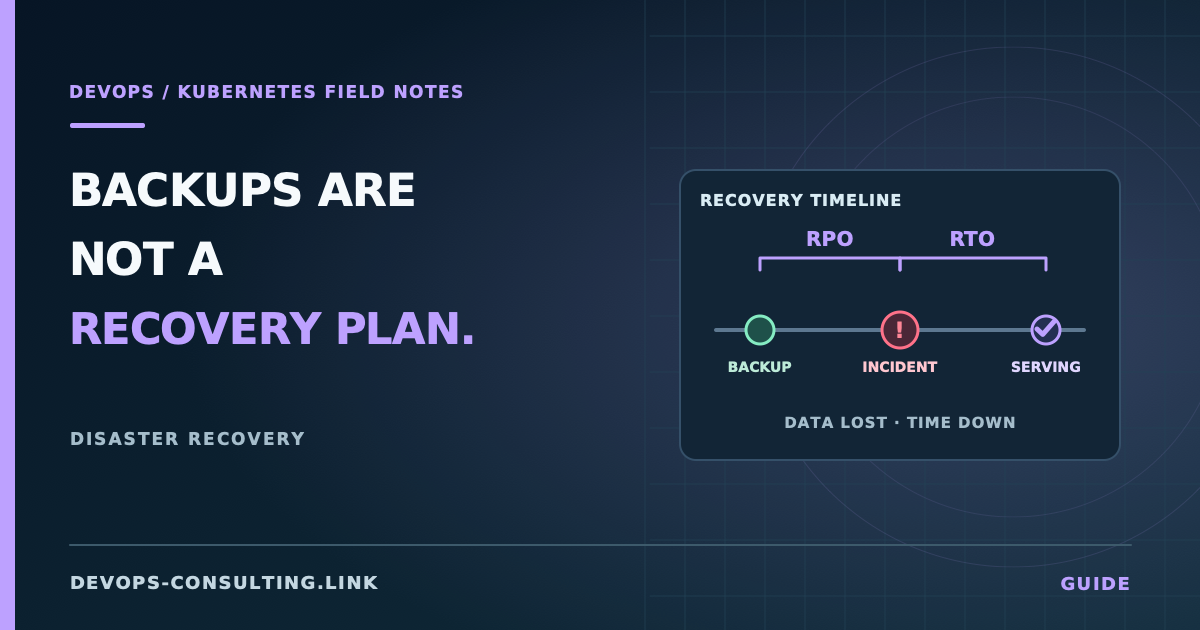
"We have backups" and "we can recover" are different claims, and most teams have only verified the first one. A nightly PVC snapshot job that's been green for a year proves the job ran — it proves nothing about whether the data inside is restorable, whether the restore process actually works, or how long it takes. The only way to know your actual recovery posture is to have tested it, on a schedule, not to have inferred it from a backup job's exit code.
This isn't a tooling article. Velero, volume snapshots, and etcd backups all show up below, but the tool is the easy part. The hard part is knowing what actually needs to be recoverable and proving, on a schedule, that it is.
Short answer
Four things can need recovering, and they're not the same problem:
- Kubernetes object state (Deployments, Services, ConfigMaps, RBAC) — for most teams running GitOps or applying manifests through CI, this should be reconstructable from Git, not from a Kubernetes-level backup. If it isn't, that's the gap to close first, and it's usually cheaper to close than it looks.
- etcd — only relevant if you manage your own control plane. On EKS/GKE/AKS, the provider owns etcd and its backup strategy; you don't back it up yourself, and shouldn't be trying to.
- Application data on PersistentVolumes — needs an application-consistent backup, not just a filesystem snapshot. This is where "we have backups" most often turns out to mean "we have backups of a possibly-corrupted mid-write state."
- Secrets and config that live outside Git — anything created imperatively (
kubectl create secret, a manually-applied ConfigMap) has no source of truth outside the cluster. If it's not in Git and not backed up, it's gone.
Test recovery for each of these on a schedule. An RTO you've never measured isn't an RTO, it's a guess.
Kubernetes object state: Git is usually your best backup
If your Deployments, Services, NetworkPolicies, and RBAC objects are applied through GitOps (Argo CD, Flux) or a CI pipeline running kubectl apply/Helm, the actual source of truth already lives in version control, with history, review, and rollback built in. Rebuilding a cluster from that Git state is usually simpler and more reliable than restoring a point-in-time Kubernetes object dump — a Git-based rebuild reapplies current, known-good config; an object-level snapshot restore can reintroduce a config that was already broken at the moment it was captured.
The gap to check for: anything applied outside that pipeline. kubectl edit on a live object, a hotfix nobody committed back, a ConfigMap created by hand during an incident. Those changes exist only in the cluster, and a Git-based recovery silently drops them. kubectl diff (or your GitOps tool's drift-detection view — Argo CD's built-in diff, or flux diff) against what's actually running is how you find this before it becomes a recovery surprise instead of after.
etcd: relevant only if you manage the control plane
If you're on EKS, GKE, or AKS, the control plane — including etcd — is the provider's responsibility. You don't have direct etcd access, and etcd backup strategy isn't something you configure; it's covered by your cloud provider's control-plane SLA. Trying to reach around that (or believing you need to) is wasted effort.
If you run your own control plane (kubeadm, on-prem, or self-managed on VMs), etcd backup is your responsibility and it's a distinct discipline from everything else here:
# Illustrative — snapshot command shape varies by etcd version and TLS setup.
# Confirm exact flags against your cluster's etcd version before running this.
ETCDCTL_API=3 etcdctl snapshot save /backup/etcd-snapshot-$(date +%Y%m%d).db \
  --endpoints=https://127.0.0.1:2379 \
  --cacert=/etc/kubernetes/pki/etcd/ca.crt \
  --cert=/etc/kubernetes/pki/etcd/server.crt \
  --key=/etc/kubernetes/pki/etcd/server.key
Two things matter more than the snapshot command itself: snapshot frequency (this defines your RPO for the entire control plane — every object in the cluster, not just one app) and restore testing (an etcd restore is a full control-plane operation with real risk of getting wrong under pressure; see the etcd disaster recovery documentation and practice it outside an actual incident). If your team doesn't manage its own control plane, skip this section entirely rather than backing up something you don't own.
Application data: a snapshot is not automatically a backup
A volume snapshot captures whatever was on disk at that instant, including a database mid-write, a half-flushed buffer, or an index in an inconsistent state. Filesystem-level consistency is not the same as application-level consistency. For anything stateful and important — a database, a queue with unacknowledged messages — use the application's own backup mechanism (pg_dump/WAL archiving for PostgreSQL, a documented Redis persistence strategy, a database-native backup tool) or ensure the application is properly quiesced before a snapshot is taken. Volume snapshots are a fine transport mechanism; they're not a substitute for application-aware backup logic.
Velero is the standard tool for Kubernetes-native backup — it can capture both Kubernetes object state and, via provider plugins, coordinate PersistentVolume snapshots through the underlying cloud provider's snapshot API (EBS, PD, Azure Disk). It's worth using as the orchestration layer even when your actual data-consistency guarantee comes from the application's own backup mechanism, since it gives you one consistent restore workflow instead of a different manual process per stateful service.
Secrets and config that only exist in the cluster
Anything created imperatively has no backup by default. This is worth auditing directly:
kubectl get secrets -A -o json | jq -r '.items[] | "\(.metadata.namespace)/\(.metadata.name)"'
Cross-reference against what's actually defined in Git (or your secrets manager, if you're using one — Vault, AWS Secrets Manager, or a Kubernetes-native operator syncing from one). Anything present in the cluster but absent from that source of truth is a single point of failure with no recovery path, usually created during an incident and never cleaned up afterward. This is also a security finding, not just a recoverability one — see Kubernetes secrets handling for the broader risk.
RPO and RTO, made concrete
RPO (Recovery Point Objective) is how much data you can afford to lose, and it's set directly by backup frequency — a nightly backup means an RPO of up to 24 hours, full stop. If the business needs a lower RPO, that requires more frequent backups (or continuous replication for the data layer), not a different restore procedure.
RTO (Recovery Time Objective) is how long recovery actually takes, and it's the number teams consistently get wrong, because it's usually asserted rather than measured. An RTO of "a few hours" that has never been tested is not an RTO — it's an unverified assumption made under the best-case conditions of a calm afternoon, not the actual conditions of an incident.
The only way to know your real RTO: run an actual restore into a separate namespace or cluster, on a schedule (quarterly is a reasonable starting cadence for most teams), and record how long it took and what went wrong. It will not go smoothly the first time. That's the point of finding out now.
Common mistakes
- Treating a green backup job as proof of recoverability. It proves the job ran, not that the resulting backup is restorable.
- Backing up PVs with a filesystem snapshot and assuming that covers a database. Without quiescing or an application-native backup mechanism, you may be backing up a corrupted or inconsistent state without knowing it.
- Never testing restore until an actual incident. This is when you discover the backup is incomplete, the restore procedure is undocumented, or the person who set it up left the company.
- Confusing "we have backups" with "we have disaster recovery." DR includes the runbook, the decision authority to trigger it, and practiced familiarity with the process under pressure — not just the existence of recoverable data somewhere.
- Backing up imperatively-created secrets by hand, inconsistently, instead of moving that config into Git or a secrets manager where it's backed up as a side effect of normal process.
High availability vs. disaster recovery
These solve different failure domains and both matter, but they're not substitutes for each other. Kubernetes high availability is about surviving a pod crashing, a node failing, or a bad rollout — failures that happen routinely and should be invisible to users. Disaster recovery is about surviving losing the cluster entirely, or an entire cloud region — failures that are rarer and require a fundamentally different recovery path (rebuild/restore into new infrastructure, not reschedule onto a healthy node). A cluster with excellent HA and no tested DR plan will survive every ordinary failure and then have no answer for the one that takes out the whole cluster.
Production considerations
- Retention policy should match compliance and practical recovery needs, not just "keep everything forever" — unbounded retention has real storage cost and doesn't improve RPO past your actual backup frequency.
- Cross-region (or cross-account) backup storage matters if the failure you're planning for includes losing the region your cluster runs in — a backup stored in the same region as the cluster it protects doesn't cover that scenario.
- Backup access itself needs its own access control — a backup store with the same blast radius as production (same account, same credentials) can be destroyed by whatever destroyed production in the first place.
- This is exactly the kind of thing production readiness reviews for — DR is one of the areas most often "planned" on paper and never actually verified end to end.
Conclusion
Backups and disaster recovery are related but different claims, and the gap between them is exactly the untested part: the restore that's never been run, the RTO that's never been measured, the imperatively-created secret nobody remembers exists. Fixing that gap isn't about better tooling — Velero and volume snapshots are the easy 80%. It's about actually running the restore, on a schedule, before an incident forces you to find out what breaks.
If disaster recovery planning is something your team has on the roadmap but hasn't actually tested, that's exactly the scope of Disaster Recovery Planning — building the plan and proving it works, not just writing it down.