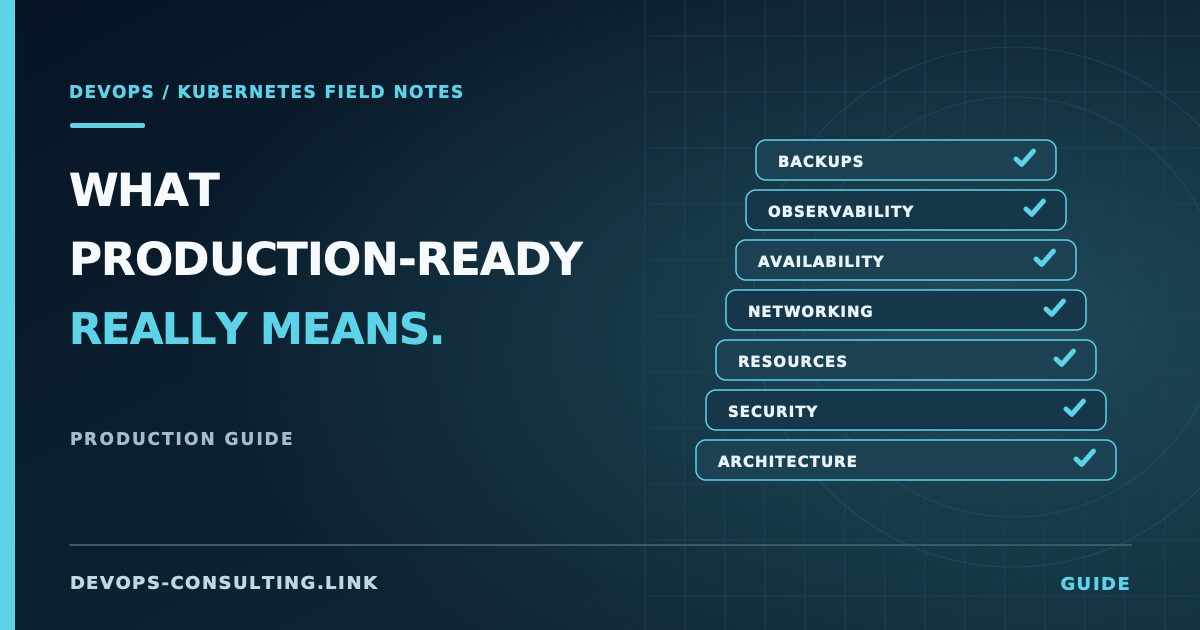
"It runs on Kubernetes" and "it's production-ready on Kubernetes" are different claims. The gap between them is usually invisible until something fails: a node drain takes down a stateful workload with no replicas to absorb it, a namespace with no NetworkPolicy lets a compromised sidecar reach the internal admin API, or a kubectl apply from three teams ago is the only place a critical environment variable is defined.
None of these show up in a demo. All of them show up in production, usually at the worst time. This guide is the full version of what "production-ready" means in practice — not a marketing definition, but the specific architectural and operational decisions that separate a cluster that happens to be running workloads from one you can actually depend on.
Treat it as a reference, not a script to follow top to bottom. Each section links to a deeper article where the topic deserves one — this guide tells you what matters and why; the linked articles tell you how to implement or verify it.
Short answer
A production-ready Kubernetes cluster has, at minimum:
- RBAC scoped to least privilege, not
cluster-adminbound to every service account because it was faster to set up that way. - Every workload with resource requests and limits, sized from actual usage data, not copy-pasted from a tutorial.
- A default-deny NetworkPolicy baseline, with explicit allow rules for what actually needs to talk to what.
- No single-replica stateful workloads without a documented reason, and PodDisruptionBudgets for anything that has more than one.
- Secrets that aren't sitting in plaintext in a Git-committed manifest.
- Monitoring that would tell you about a problem before a user does, not just dashboards nobody looks at until an incident.
- Tested backups, not backups you've verified exist but never verified you can restore from.
- A documented upgrade path, because the cluster will need to move to a new Kubernetes minor version, and "we'll figure it out when we have to" is not a plan.
If your cluster is missing more than two or three of these, that's the place to start — and it's exactly what the 12-point audit checklist covers in condensed, scannable form if you want the short version of this guide.
Cluster architecture
Before anything workload-specific, the control plane and node architecture set the ceiling for everything else.
Managed vs. self-managed control plane. Unless you have a specific regulatory or architectural reason to run your own control plane, use a managed offering (EKS, GKE, AKS). Self-managing etcd, the API server, and the scheduler is a real operational burden — upgrades, certificate rotation, and etcd backup/restore all become your responsibility — and it rarely buys you anything a managed control plane doesn't already give you, at a fraction of the operational cost.
Node pools and instance diversity. A single node pool of identical instance types is a single failure domain. Separate node pools by workload class (general-purpose, memory-optimized, GPU) and, where the cloud provider supports it, spread nodes across multiple instance types within a pool so a single instance-type capacity shortage doesn't block scheduling entirely.
Multi-AZ from the start. Nodes and, more importantly, stateful workloads should span availability zones. Retrofitting multi-AZ onto a single-AZ cluster later means migrating persistent volumes, which is a much bigger project than provisioning correctly the first time.
Security and access control
Security in Kubernetes is not one control — it's a stack, and a gap in any layer undermines the others. The core layers, in the order they're worth addressing:
RBAC. Every ClusterRoleBinding to cluster-admin is a finding waiting to happen. The most common failure pattern is a CI/CD service account granted cluster-admin because a deployment step needed some permission and nobody scoped it down afterward. Auditing Kubernetes RBAC covers the actual commands to find every over-privileged binding in a cluster and how to scope them down without breaking the pipeline that depends on them.
Pod-level security. securityContext fields — runAsNonRoot, readOnlyRootFilesystem, allowPrivilegeEscalation: false, dropped Linux capabilities — determine what a compromised container can actually do on the host. Enforce these with Pod Security Standards at the namespace level (restricted for anything internet-facing) rather than trusting every manifest author to set them correctly by hand.
NetworkPolicy. By default, every pod in a Kubernetes cluster can reach every other pod, in any namespace, on any port. That's the actual default — not a documented risk, the literal out-of-the-box behavior. A default-deny baseline with explicit allow rules turns "any pod can reach the payments database" into "only the three services that need to." Designing default-deny NetworkPolicy without breaking your cluster covers the rollout sequencing that avoids the two most common outcomes of skipping it: either nobody enables it, or someone enables it and takes down DNS resolution cluster-wide in the process.
Secrets management. Kubernetes Secret objects are base64-encoded, not encrypted, unless you've explicitly configured encryption at rest for etcd. Base64 is not a security control. For anything beyond the simplest setup, use an external secrets manager (AWS Secrets Manager, GCP Secret Manager, HashiCorp Vault) with a controller like External Secrets Operator that syncs values into the cluster, rather than committing Secret manifests — or worse, plaintext values in a Deployment's env — to Git.
Image security. Pin images to a digest (image: myapp@sha256:...), not a mutable tag like :latest or even :v2, which can be re-pushed to point at a different image. Scan images in CI before they reach the cluster; a Kubernetes admission controller catching a critical CVE at deploy time is a much worse place to find it than a CI pipeline.
For the full picture across all of these — including the specific commands and manifests — see Kubernetes security hardening: a practical checklist.
Workloads and resource management
Requests and limits on everything. A container with no resource requests gets scheduled without the scheduler accounting for its actual usage, and a container with no limits can consume unbounded memory or CPU on its node — taking neighboring workloads down with it when the node runs out. kubectl top pod and the metrics your cluster already emits are the starting point for setting real numbers instead of guesses. Resource requests and limits, done right covers QoS classes, the OOMKilled vs. throttling distinction, and how to size these from actual data rather than convention.
Health probes that mean something. A livenessProbe that just checks the process is running doesn't catch a deadlocked application; a readinessProbe that's missing entirely means traffic gets routed to a pod before it's actually ready to serve it, especially right after a rolling deploy. Both need to check something meaningful — a real health endpoint, not just "did the process bind to a port."
Pod Disruption Budgets and anti-affinity. A Deployment with 3 replicas and no topology spread constraints can end up with all 3 pods scheduled on the same node, which makes "3 replicas" a false sense of redundancy the moment that node drains. A PodDisruptionBudget protects against voluntary disruptions (node drains, cluster upgrades) taking out too many replicas at once. What actually keeps workloads running in production covers how these mechanisms interact — replicas alone are not a high-availability strategy.
Networking, ingress, and TLS
Beyond NetworkPolicy, three things matter for anything internet-facing:
- TLS terminates somewhere deliberate, with certificates renewed automatically (cert-manager with an ACME issuer is the standard approach) rather than manually tracked in a spreadsheet that someone forgets to check.
- The ingress controller has rate limiting and connection limits configured. An unprotected ingress is one misbehaving client away from an unintentional self-inflicted denial of service.
- DNS resolution is monitored, not assumed. CoreDNS failures cascade into everything, and they're disproportionately common after a NetworkPolicy rollout that forgot to allow port 53. If you're troubleshooting a live DNS issue right now, debugging DNS resolution failures in Kubernetes walks through the four distinct failure modes and how to tell them apart.
Observability
Dashboards are not observability. Observability is having the specific signals that let you detect a problem before a customer reports it, and diagnose it quickly once you know it exists.
At minimum:
- The RED/USE signals for every workload — request rate, error rate, duration for services; utilization, saturation, errors for infrastructure — not just "is the pod Running."
- Kubernetes events retained somewhere queryable.
kubectl get eventsonly shows the last hour by default; by the time someone's investigating an incident from the day before, the evidence is gone unless it's being shipped somewhere durable. - Alerts tied to symptoms that matter to users, not every metric that can technically cross a threshold. Alert fatigue from noisy, low-value alerts is why real incidents get missed — see the metrics and signals that actually matter for what's worth alerting on and what isn't.
Backup and disaster recovery
"We have backups" and "we can recover" are different claims, and the gap between them is only discovered during an actual incident if nobody's tested it beforehand.
A real backup strategy for Kubernetes covers three distinct things: the cluster's own object state (Velero or equivalent, covering Deployments, ConfigMaps, Secrets, and everything else in etcd), persistent volume data (snapshotted on a schedule that matches your actual RPO), and any external stateful systems the cluster depends on (managed databases, message queues) that live outside Kubernetes entirely and need their own backup strategy. Kubernetes backup and disaster recovery, beyond "we have backups" covers what to actually back up and — more importantly — how to test that a restore works before you need it to.
Upgrades and cluster lifecycle
Kubernetes ships a new minor version roughly every four months, and each one is supported for about a year before it's out of the supported version window. A cluster running a version that's several minors behind isn't just missing features — it's accumulating upgrade risk, because jumping multiple minor versions at once is riskier and harder to roll back than staying current one version at a time.
Have a documented, tested upgrade procedure: control plane first, then node pools (usually via a rolling replacement rather than in-place upgrade on managed platforms), with a defined rollback plan if something breaks mid-upgrade. Check the Kubernetes deprecated API migration guide before every upgrade — a manifest using a removed API version will fail to apply on the new version, and finding that out mid-upgrade is worse than finding it in a pre-upgrade check.
Operational readiness
The technical controls above are necessary but not sufficient. A cluster is operationally ready when:
- Someone owns it. Not "the team," a specific rotation with defined escalation.
- Runbooks exist for the failure modes you can anticipate — node not ready, PVC stuck pending, certificate expiry — so an on-call engineer isn't debugging from first principles during an incident.
- Changes are auditable. GitOps (ArgoCD, Flux) or at minimum a change log tied to who ran what, so "what changed right before this broke" has an answer.
Common mistakes
- Treating this as a one-time setup task. Production readiness degrades over time — a NetworkPolicy that was correct at rollout can silently stop working after a namespace label change, resource limits set from six-month-old traffic patterns stop matching reality, and nobody revisits either until something breaks.
- Optimizing for the demo, not the incident. A cluster that looks fine under a
kubectl get podson a good day tells you nothing about how it behaves during a node failure, a traffic spike, or a bad deploy. - Solving every area to the same depth. Not every cluster needs a service mesh or multi-region failover. Match the investment to the actual availability and compliance requirements of what's running on it — over-engineering a low-stakes internal tool wastes the same budget that a customer-facing payments service actually needs.
- Assuming managed Kubernetes means the provider handles all of this. EKS/GKE/AKS manage the control plane. RBAC, NetworkPolicy, resource limits, backups, and nearly everything else on this list is still entirely your responsibility.
Checklist
- [ ] RBAC scoped to least privilege, no unexplained
cluster-adminbindings - [ ] Default-deny NetworkPolicy baseline with explicit allow rules
- [ ] Pod Security Standards enforced at the namespace level
- [ ] Secrets managed externally, not committed to Git or stored in plaintext
- [ ] Images pinned to digests, scanned before deploy
- [ ] Every workload has requests and limits based on real usage data
- [ ] Readiness and liveness probes check something meaningful
- [ ] PodDisruptionBudgets and topology spread constraints for anything with more than one replica
- [ ] TLS certificates renew automatically; ingress has rate limiting
- [ ] DNS resolution is monitored, not assumed
- [ ] Meaningful alerts exist for symptoms that affect users, tuned to avoid fatigue
- [ ] Kubernetes events and logs are retained somewhere queryable beyond the default one-hour window
- [ ] Backups cover cluster state and persistent data, and a restore has actually been tested
- [ ] An upgrade procedure exists and has been used at least once, not just documented
- [ ] The cluster has a clear owner and runbooks for anticipated failure modes
Conclusion
None of this is exotic — every item above is documented Kubernetes behavior or a well-established operational practice. What actually separates production-ready clusters from the rest is whether someone deliberately worked through this list, rather than accumulating workloads on a cluster that was only ever configured to the point where the demo worked.
If you want to go deeper on any single area, the linked articles above cover the specific commands, manifests, and diagnostic methodology. If you'd rather have someone else assess where a specific cluster actually stands — with a written, prioritized report instead of a self-audit against a list — that's what the Kubernetes Cluster Audit is for: a fixed-price, $300 assessment covering the areas in this guide, delivered as a written report in 3-5 business days. See the sample audit report for what that actually looks like before you commit to anything.