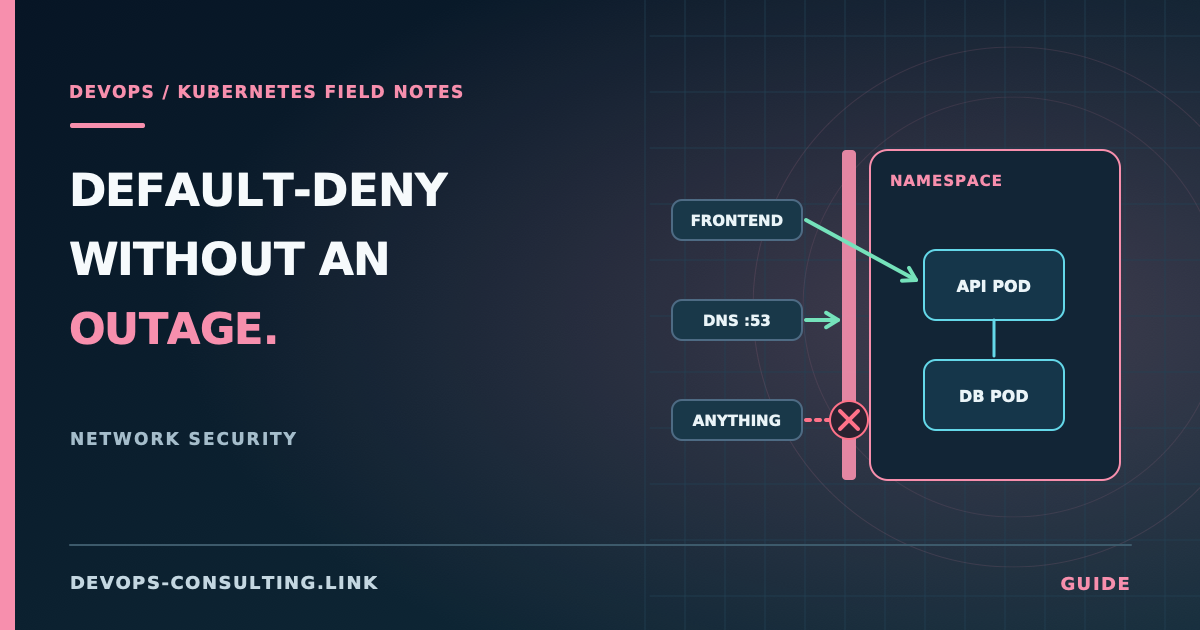
Most Kubernetes clusters I look at have zero NetworkPolicy resources, which means every pod can reach every other pod, in every namespace, by default. That's not a Kubernetes flaw — it's the deliberately open starting state — but it also means a single compromised pod has a flat network to move through. The fix is well known (default-deny plus explicit allow rules) and still gets rolled out wrong often enough that it's worth walking through properly.
"Rolled out wrong" usually means one of two outcomes: either it silently does nothing (policies exist, but traffic still flows because of how the allow-list model actually works), or it goes into effect all at once and takes down DNS, the ingress controller, and anything else that depended on connectivity nobody had written down.
Short answer
- NetworkPolicy is allow-list, not deny-list — but only once a pod is selected by any policy. An unselected pod still accepts all traffic. This trips people up constantly.
- Never flip a cluster straight to default-deny. Roll it out namespace by namespace, starting with the least critical, and verify each one before moving to the next.
- The two egress rules everyone forgets: DNS (port 53 to
kube-system) and same-namespace traffic (not automatic — you have to allow it explicitly if you want it). - Test after every change. A policy that's correct today can break silently after a namespace label change or a cluster upgrade that touches default labels.
How NetworkPolicy actually works
This is the part worth being precise about, because the mental model most people bring from traditional firewalls is wrong.
A NetworkPolicy selects pods via podSelector and then defines ingress/egress rules for exactly those pods. The critical detail, straight from the Kubernetes documentation:
By default, a pod is non-isolated for ingress; all inbound connections are allowed. ... Once there is any NetworkPolicy in a namespace selecting a particular pod, the pod will reject any connections that are not allowed by any NetworkPolicy.
So a pod isn't "protected" just because you wrote a policy for a different pod, or because you assume a namespace-wide policy applies broadly. If your podSelector doesn't match a workload, that workload remains fully open — this is the single most common reason a "default-deny rollout" turns out, on inspection, to have deny'd nothing.
The actual default-deny pattern uses an empty podSelector, which matches every pod in the namespace:
apiVersion: networking.k8s.io/v1
kind: NetworkPolicy
metadata:
  name: default-deny-all
  namespace: checkout
spec:
  podSelector: {}
  policyTypes:
    - Ingress
    - Egress
This one resource, applied to a namespace, makes every pod in it reject all ingress and egress that isn't explicitly allowed by another policy. It's also the exact moment things break if you haven't planned the allow rules first — which is why sequencing matters more than the YAML itself.
A second detail that surprises people: policies are additive, not evaluated in priority order. If any policy allows a connection, it's allowed — there's no "deny" policy that overrides an "allow" elsewhere. This is by design (Kubernetes NetworkPolicy has no explicit deny rule at all), but it means the mental model is "union of everything that permits this traffic," not "most specific rule wins."
Practical implementation: the rollout sequence
Don't write the default-deny policy first. Write it last, after you know what the namespace actually needs.
1. Observe real traffic before restricting anything
If your CNI supports flow logs (Cilium's Hubble, Calico's flow logs, or your cloud provider's VPC flow logs at the node level), pull a few days of actual traffic for the namespace you're about to lock down. You're building the allow-list from what's genuinely in use, not from what the architecture diagram says should be in use — those two things diverge more often than anyone expects, usually because of a debugging tool, a legacy cron job, or a dependency nobody remembers wiring up.
If you don't have flow visibility, a lower-fidelity fallback: check the Service and Endpoints objects in the namespace and cross-reference against what each Deployment's environment variables and ConfigMaps actually point at.
2. Start with one non-critical namespace
Pick a namespace where a mistake is cheap — staging, or a low-traffic internal tool — not the payments namespace. Apply the default-deny policy there first:
kubectl apply -f default-deny-all.yaml -n staging-checkout
3. Add explicit allows, one at a time, and verify each
Two rules almost every namespace needs immediately, or you'll spend the next hour debugging something that looks unrelated to networking:
DNS egress. Every pod needs to reach CoreDNS. This is far and away the most common outage caused by a default-deny rollout, and it's already covered in detail — including the exact allow rule — in debugging DNS resolution failures in Kubernetes. Apply that rule before the default-deny policy, or immediately after, not as an afterthought once things start timing out.
Same-namespace traffic, if your workloads talk to each other within the namespace (they usually do). This is not automatic — an empty podSelector with no ingress rules denies same-namespace traffic exactly the same as cross-namespace traffic:
apiVersion: networking.k8s.io/v1
kind: NetworkPolicy
metadata:
  name: allow-same-namespace
  namespace: checkout
spec:
  podSelector: {}
  policyTypes:
    - Ingress
  ingress:
    - from:
        - podSelector: {}
From there, add ingress/egress rules scoped to what step 1 actually showed you. A typical allow rule for a backend API that only the ingress controller and a specific internal service should reach:
apiVersion: networking.k8s.io/v1
kind: NetworkPolicy
metadata:
  name: allow-checkout-api-ingress
  namespace: checkout
spec:
  podSelector:
    matchLabels:
      app: checkout-api
  policyTypes:
    - Ingress
  ingress:
    - from:
        - namespaceSelector:
            matchLabels:
              kubernetes.io/metadata.name: ingress-nginx
        - namespaceSelector:
            matchLabels:
              kubernetes.io/metadata.name: checkout
      ports:
        - protocol: TCP
          port: 8080
Note the two selector types doing different jobs: namespaceSelector scopes by namespace label (every namespace gets an automatic kubernetes.io/metadata.name label since Kubernetes 1.21, which is the reliable way to reference a namespace by name), and podSelector scopes by pod label within the namespaces already selected. An ipBlock selector is the third option, for traffic to/from specific CIDR ranges — useful for allowing egress to a managed database or third-party API by IP range when you can't select it by label.
4. Verify before moving on
After each policy, confirm the workload still functions — hit its health endpoint, check that dependent services still connect, watch error rates for a few minutes. Don't apply the next policy until the current one is confirmed working. This is slower than applying everything at once and is the entire point: a rollout that takes a day per namespace and causes zero incidents beats one that takes an hour and causes three.
5. Repeat per namespace, then extend cluster-wide
Once the pattern is proven in one namespace, it's mechanical to repeat — but repeat it, don't template it out to every namespace simultaneously the first time you do this. Different namespaces have different real traffic patterns, and the whole value of this approach is discovering that per namespace.
Common mistakes
- Assuming "we have NetworkPolicy resources" means the cluster is segmented. Check what they actually select. A policy for
app: checkout-apidoes nothing for a workload labeledapp=checkout_api— labels are exact-match strings, not fuzzy. - Forgetting DNS egress, covered above — common enough that it deserves repeating on its own.
- Assuming NetworkPolicy is enforced without checking the CNI. NetworkPolicy is a Kubernetes API object; enforcement is entirely up to the CNI plugin. Flannel, in its default configuration, does not enforce NetworkPolicy at all — the objects will apply without error and do nothing. Confirm your CNI (Calico, Cilium, or a cloud-managed equivalent like AWS VPC CNI with Calico for policy, or GKE's Dataplane V2) actually enforces the resource type you're deploying.
- Writing egress rules but not ingress, or vice versa, and assuming the other direction is still open by default. It is — a policy with
policyTypes: [Egress]only restricts egress; ingress remains whatever it was before (open, unless another policy also selects the pod for ingress). - Treating this as a one-time project. A namespace that's correctly locked down today drifts as new workloads are added without matching policy updates. This needs to be part of the deployment process, not a quarterly cleanup task.
Production considerations
- NetworkPolicy is namespace-scoped by default, but Cilium and Calico both offer cluster-wide policy CRDs (
CiliumClusterwideNetworkPolicy, Calico'sGlobalNetworkPolicy) for baseline rules you want enforced everywhere — a good place for the DNS-egress and same-namespace-allow rules so they don't need to be copy-pasted into every namespace. - Egress policies to external IPs are fragile against IP rotation. A managed database or SaaS API's IP range can change; pin to a CIDR range documented by the provider where possible, and treat any
ipBlockrule as something to revisit periodically, not a set-and-forget. - Policy sprawl becomes its own operational problem. At scale, dozens of hand-written per-namespace policies get hard to reason about. This is where a policy-as-code layer (Cilium's
CiliumNetworkPolicywith L7 rules, or a GitOps-managed policy library) starts paying for itself over raw YAML per team. - Test in a real change-management pipeline, not just manually. A policy that regressed silently after a Helm chart update is a common failure mode — add a basic connectivity check to CI/CD for namespaces with default-deny in place.
Conclusion
Default-deny NetworkPolicy is worth doing, but the sequencing is what determines whether it's a controlled improvement or a self-inflicted incident. Observe real traffic first, roll out per namespace starting with something low-risk, get DNS and same-namespace rules in place immediately, and verify before moving to the next namespace — not after locking down the whole cluster at once.
This is exactly the kind of hardening work covered in Kubernetes Security Consulting, alongside RBAC, Pod Security Standards, and secrets handling — see the Kubernetes security hardening checklist for the broader picture, or start with the Kubernetes Production Readiness Guide if network segmentation is one gap among several you're trying to assess.